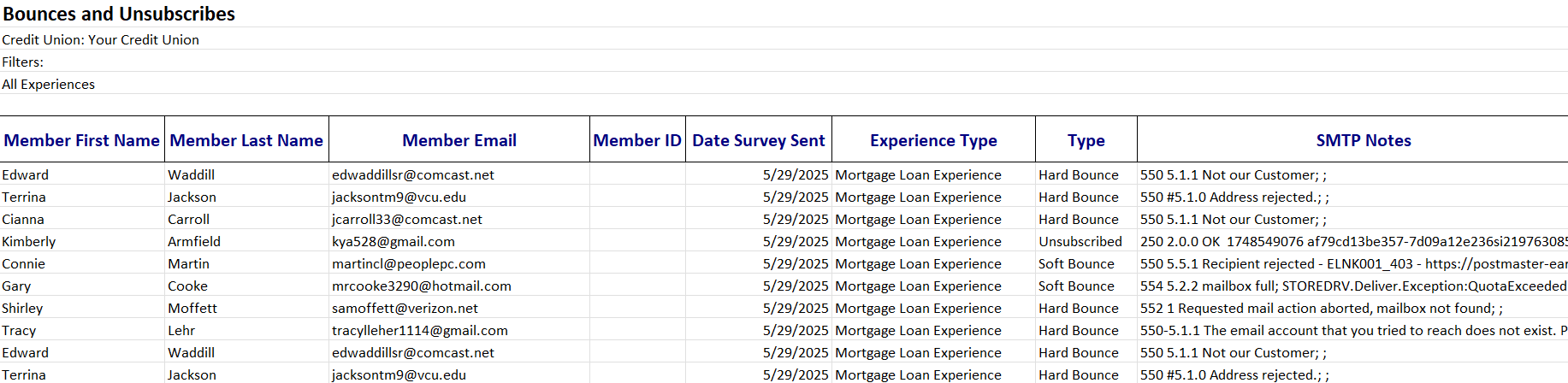
When communicating with members - whether it's about their account, a new product offering, or even a survey - it's essential to have the right email address on file. Without accurate contact information, important updates and opportunities to engage with members can be missed.
That's why keeping member email addresses current and accurate is so important.
If outdated or incorrect emails are included in the data files you provide to MemberXP, surveys may never reach the intended recipient - meaning you will miss the chance to capture valuable feedback. This issue is known as a hard bounce, which occurs when an email cannot be delivered due to a permanent error, such as an invalid email address.
The good news? MemberXP makes it easy to identify hard bounces. Within the Response Rate report, you can access a list of surveys that experienced hard bounces. This insight allows you to identify and update invalid member email addresses, improving not only survey deliverability but the deliverability of your member communications as well.
Where to Access the Hard Bounce Report
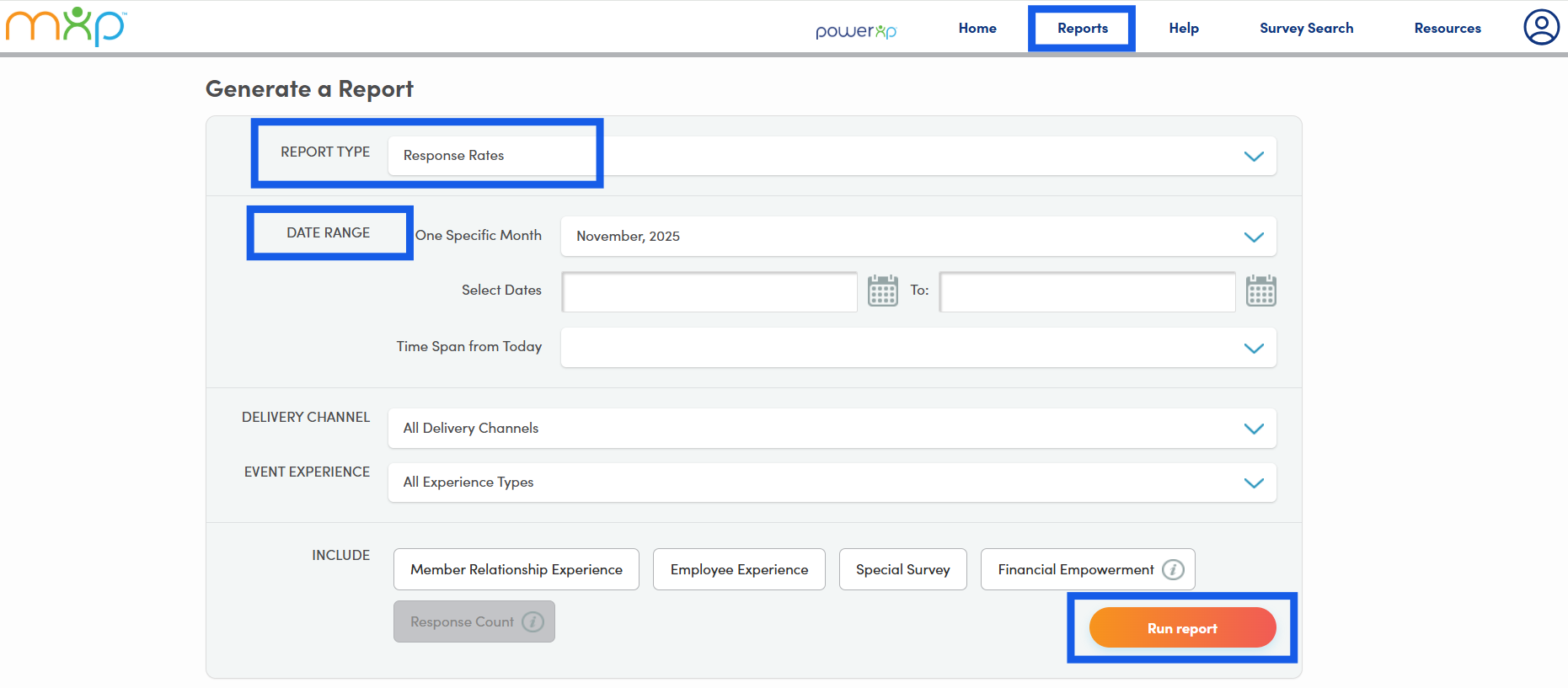
Within your MemberView portal, go to the 'Reports' section to access the report generator. In the 'Report Type' drop down menu, choose 'Response Rates.' Then, select your desired 'Date Range' or preset time span (e.g., Last Quarter, Last Year, Year to Date, etc.) that you wish to view, and click 'Run Report.'
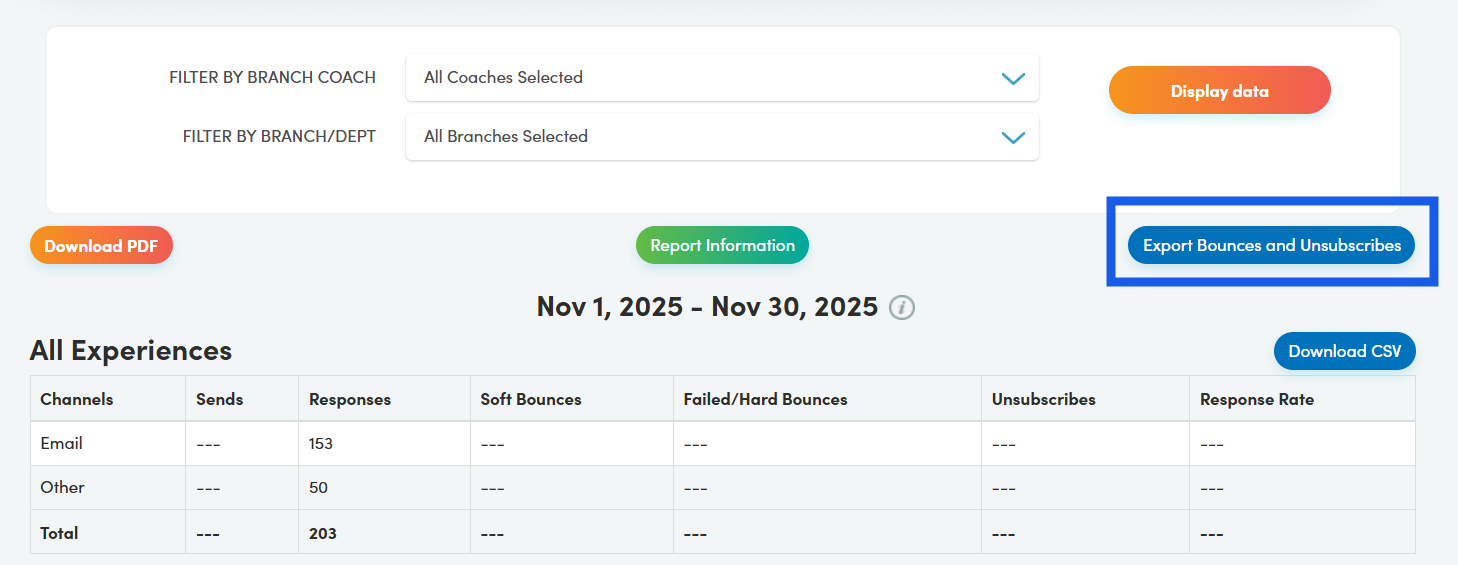
Once the Response Rate report is generated, you will click the 'Export Bounces and Unsubscribes' button.
This export will generate an Excel file that lists surveys that experienced one of the following outcomes: soft bounce, hard bounce, unsubscribe, or spam complaint.
- Soft Bounce - A temporary delivery failure. Additional attempts to deliver the survey will be made.
- Hard Bounce - A permanent delivery failure (e.g., invalid or blocked email address).
- Unsubscribe - The recipient opted out of receiving future surveys.
- Spam Complaint - The recipient marked the email as junk or spam.
We recommend prioritizing surveys marked as a 'Hard Bounce,' as these cannot be delivered to the provided email addresses. Refer to the 'SMTP Notes' column for details on the reason for the hard bounce, such as "The email account that you tried to reach does not exist."
To resolve hard bounces, reach out to the affected members to confirm and update their current email address in your system. Doing so will not only ensure future surveys are delivered but will also help maintain accurate records for future credit union communications as well.
Best Practice: Review hard bounces monthly to update email addresses regularly. This proactive approach will reduce the number of hard bounces over time.